Introduction
Modern businesses depend on digital systems to manage customers, employees, operations, and everyday workflows. However, using multiple disconnected tools can create unnecessary complexity, increase operational costs, and slow down business processes.
Custom web applications provide a more flexible way to solve these challenges.
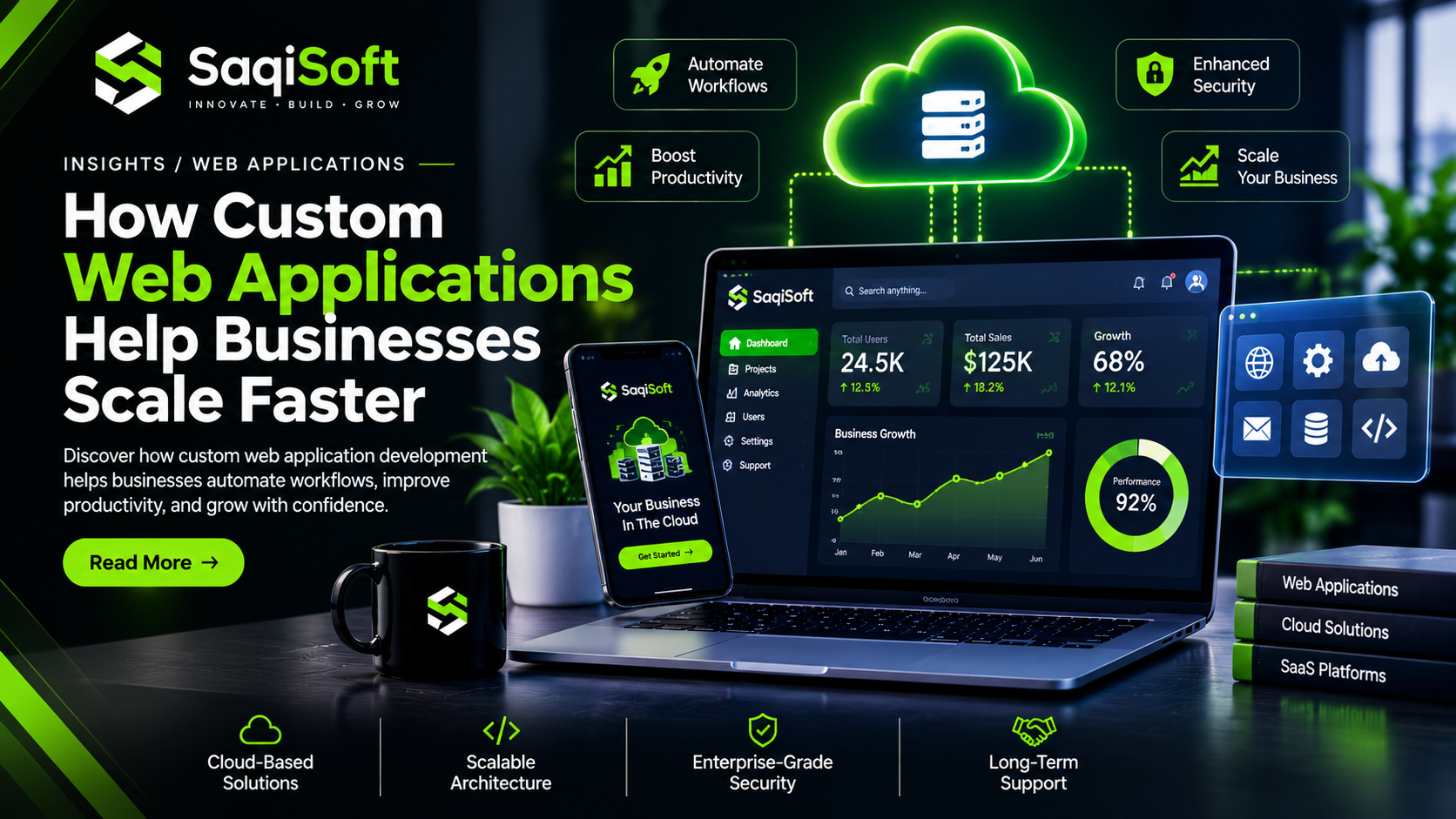
Unlike traditional software that may offer limited customization, a custom web application can be designed around your specific business requirements. It can automate repetitive tasks, centralize information, connect existing systems, and provide users with access to important features through a web browser.
From customer portals and business dashboards to enterprise platforms and SaaS products, web applications are transforming how organizations operate.
Investing in professional web application development allows businesses to create digital solutions that support current requirements while providing room for future growth.
01. Why Businesses Are Investing in Custom Web Applications
As businesses grow, their operational requirements become more complex. Managing customer information, processing orders, tracking performance, and coordinating teams through separate tools can become difficult.
Custom web applications help bring these activities together in one centralized environment.
Instead of adjusting business processes to fit generic software, organizations can build applications that match the way their teams actually work.
Common Business Applications
Customer Relationship Management (CRM) systems
Enterprise Resource Planning (ERP) platforms
Inventory and order management systems
Customer portals and user dashboards
Online booking and appointment platforms
Project and employee management applications
Subscription-based SaaS products
Why Custom Solutions Matter
A custom application gives businesses greater control over functionality, user permissions, integrations, and workflows.
It also allows organizations to introduce new features as their requirements change.
Key Insight:
The real value of custom software is not simply replacing existing tools. It is creating a connected digital environment that makes business operations more efficient.
02. What Makes a Web Application Different from a Website?
Websites and web applications both run through web browsers, but they serve different purposes.
A traditional website primarily delivers information through pages such as service descriptions, company profiles, blogs, and product listings.
A web application provides interactive functionality that allows users to perform specific tasks.
Traditional Website
A business website may include:
Homepage and company information
Service and product pages
Contact forms
Blog and informational content
Marketing landing pages
Web Application
A web application may include:
User registration and authentication
Personalized dashboards
Data management functionality
Interactive reporting
Payment processing
User-specific permissions
Automated business workflows
When Does Your Business Need a Web Application?
If your business requires users to log in, manage information, perform transactions, access personalized data, or complete complex workflows, a web application may be more suitable than a traditional website.
The right solution depends on the functionality your business needs.
03. The Business Benefits of Custom Web Application Development
Custom web application development provides businesses with digital tools designed around their operational requirements.
Instead of depending entirely on generic platforms, companies can build solutions that address their specific challenges.
1. Automation of Repetitive Tasks
Manual processes consume valuable employee time.
Custom applications can automate activities such as data entry, notifications, reporting, order processing, and task assignments.
2. Centralized Business Information
Managing information across multiple systems can create inconsistencies.
A centralized application helps authorized employees access relevant information from one location.
3. Improved Team Productivity
Interactive dashboards, automated workflows, and role-based access help teams complete tasks more efficiently.
4. Better Customer Experiences
Customer-facing applications provide convenient access to orders, invoices, account information, support requests, and other important services.
5. Greater Business Flexibility
Custom functionality allows businesses to adapt their applications as operational requirements change.
6. Easier System Integration
Applications can connect with payment gateways, CRM platforms, accounting software, inventory systems, and external APIs.
Business Advantage:
A well-designed web application can reduce operational friction, improve information management, and help teams focus on more valuable activities.
04. Cloud-Based Applications and Modern Business Operations
Cloud-based applications allow users to access software and information through internet-connected devices without depending entirely on a specific local computer.
They provide businesses with greater flexibility in managing digital operations.
How Cloud Applications Work
Cloud applications run using computing infrastructure hosted by cloud service providers or managed environments.
Users interact with the application through a browser or supported interface, while application logic, databases, and other resources operate within the underlying infrastructure.
Key Benefits of Cloud-Based Applications
Remote Accessibility
Authorized users can access business applications from different locations and devices.
Flexible Infrastructure
Cloud resources can be adjusted according to application requirements and usage patterns.
Centralized Updates
Application updates can be deployed centrally instead of requiring manual installation on every user's device.
Collaboration
Teams can work with shared information and coordinated workflows.
Infrastructure Management
Cloud services can reduce the need for businesses to maintain all computing infrastructure themselves.
Cloud Application Considerations
Cloud deployment also requires careful planning around security, backups, data storage, availability, infrastructure costs, and access management.
Choosing the right hosting and deployment strategy is essential for long-term reliability.
05. SaaS Platforms and Subscription-Based Software
Software as a Service (SaaS) is a software delivery model in which users access applications through the internet, commonly through a subscription.
Many modern business platforms use SaaS because it provides convenient access to software without requiring customers to manage traditional local installations.
Common SaaS Application Examples
CRM and sales management platforms
Project management tools
Marketing automation systems
Online accounting software
Customer support platforms
Business analytics dashboards
Essential SaaS Features
A professional SaaS application may require:
User Authentication: Secure registration, login, and account management.
Subscription Management: Plans, billing cycles, and subscription status.
Role-Based Access: Different permissions for administrators, employees, and customers.
Multi-Tenant Architecture: A structured way to support multiple organizations within one application.
Usage Monitoring: Tracking application activity and resource consumption.
Administrative Dashboard: Managing users, subscriptions, and platform settings.
Why SaaS Development Requires Careful Planning
SaaS platforms need more than an attractive interface. Their architecture must support multiple customers, reliable data isolation, secure authentication, billing workflows, and future expansion.
A strong technical foundation makes it easier to introduce new features as the platform grows.
06. Essential Features of a Scalable Web Application
A scalable web application should be designed to support changing business requirements without creating unnecessary technical complexity.
Its architecture should consider performance, maintainability, security, and future integrations.
Important Development Features
Responsive Interface
The application should work properly across desktops, tablets, and mobile devices.
Secure Authentication
User accounts should be protected through appropriate authentication and authorization mechanisms.
Role-Based Permissions
Different users should only access the features and information relevant to their roles.
Interactive Dashboards
Dashboards provide useful information through charts, reports, notifications, and activity summaries.
API Connectivity
APIs allow applications to communicate with other platforms and services.
Database Management
Well-structured databases help organize information and support efficient data retrieval.
Error Handling and Monitoring
Logging and monitoring help developers identify technical issues and maintain application reliability.
Modular Architecture
Reusable modules make applications easier to maintain, test, and expand.
07. Security, Integrations, and Data Management
Business applications frequently handle sensitive information, including customer records, financial information, employee details, and operational data.
Security should therefore be considered throughout the entire development process.
Essential Application Security Practices
Implement secure authentication.
Use role-based access controls.
Encrypt data during transmission.
Validate and sanitize user inputs.
Protect APIs against unauthorized access.
Maintain regular backups.
Keep frameworks and dependencies updated.
Monitor application activity and security events.
Why API Integrations Matter
Most businesses already use several digital tools.
A custom web application can connect these systems through APIs and webhooks to reduce manual work and improve data consistency.
For example, an e-commerce application could connect with:
Payment processing services
Inventory management software
Shipping and delivery platforms
Customer relationship management systems
Accounting applications
Email marketing tools
Better Data Management
Centralized data management helps organizations maintain consistent information across different business operations.
However, applications must also include appropriate backup, recovery, access, and data retention strategies.
Security Perspective:
A reliable application is not simply one that works correctly. It must also protect information, control access, and remain maintainable as business requirements evolve.
08. Choosing the Right Technology Stack
Selecting the right technologies is one of the most important decisions in web application development.
The technology stack should be selected according to application functionality, expected traffic, integration requirements, security needs, and long-term maintenance.
Popular Technologies for Modern Applications
Next.js
A React framework suitable for building modern web applications, interactive interfaces, and full-stack web solutions.
React
A popular library for developing reusable and interactive user interfaces.
Node.js
A JavaScript runtime commonly used for backend services and API development.
TypeScript
Adds static typing to JavaScript and helps improve code quality and maintainability.
PostgreSQL
A relational database suitable for structured business information and complex queries.
Cloud Infrastructure
Cloud platforms provide computing, storage, deployment, and infrastructure services for modern applications.
How to Select the Right Stack
Not every project needs the same technologies.
A small internal dashboard may require a different architecture from a large SaaS platform supporting thousands of users.
The best development approach balances technical requirements, project budget, performance, and future scalability.
09. How to Plan a Successful Web Application Project
A successful application starts with a clear understanding of the problem it needs to solve.
Building features without a defined strategy can increase development costs and create unnecessary complexity.
Step 1: Define Business Objectives
Identify the operational problem and the results your application should deliver.
Step 2: Identify Your Target Users
Understand who will use the application and what tasks they need to perform.
Step 3: Prioritize Core Features
Focus on the essential functionality required for the first release.
Step 4: Create Wireframes and Prototypes
Plan the user interface and validate important workflows before development.
Step 5: Select the Technology Stack
Choose suitable frontend, backend, database, and infrastructure technologies.
Step 6: Develop and Test
Build the application in manageable stages and test its functionality, performance, and security.
Step 7: Launch and Monitor
Deploy the application, monitor its performance, collect feedback, and plan future improvements.
Step 8: Scale and Improve
Introduce new functionality based on real usage, business growth, and changing customer requirements.
Practical Recommendation:
Start with a focused Minimum Viable Product (MVP). Validate the essential functionality before investing heavily in advanced features.
How SaqiSoft Builds Custom Web Applications
At SaqiSoft, we help businesses transform complex requirements into practical digital solutions.
Our approach to web application development focuses on creating secure, scalable, and user-friendly platforms that support real business operations.
Our development capabilities include:
Custom Web Application Development
Cloud-Based Application Development
SaaS Platform Development
CRM and Business Management Systems
Interactive Dashboards and Admin Panels
Customer Portals and User Accounts
API and Third-Party Integrations
Database Architecture and Management
Application Performance Optimization
Ongoing Maintenance and Support
Whether you are building a new SaaS product, automating internal processes, or developing a customer-facing platform, SaqiSoft can help turn your requirements into a reliable digital solution.
We combine modern development technologies with practical business thinking to create applications that are ready to evolve with your organization.
Frequently Asked Questions
1. What is custom web application development?
Custom web application development is the process of building browser-based software designed around specific business requirements, workflows, and user needs.
2. What is the difference between a website and a web application?
A website primarily presents information, while a web application allows users to interact with software, manage data, and perform specific tasks.
3. How much does custom web application development cost?
Costs depend on application complexity, features, integrations, design requirements, infrastructure, and development time.
4. Are cloud-based applications suitable for small businesses?
Yes. Cloud-based applications can help small businesses access flexible software solutions without managing all infrastructure themselves.
5. What is a SaaS application?
SaaS is a software delivery model where users access applications over the internet, commonly through recurring subscriptions.
6. Can a web application integrate with existing business software?
Yes. API and webhook integrations allow custom applications to exchange information with supported external systems.
7. How long does it take to develop a custom web application?
A basic application may take several weeks, while complex SaaS platforms and enterprise applications can require several months or longer.
8. Can a web application grow with my business?
Yes. With appropriate architecture, database design, infrastructure, and development practices, an application can be expanded as business requirements increase.
Final Thoughts
Custom web applications are becoming an important part of modern business operations.
They help organizations automate repetitive tasks, centralize information, improve collaboration, and deliver better digital experiences to customers.
However, successful application development requires more than choosing a programming language or framework. It requires understanding business objectives, planning the architecture, prioritizing functionality, and building for long-term reliability.
Businesses that invest in the right digital infrastructure can create valuable platforms that support sustainable growth.
Have Something Ambitious in Mind?
Your business deserves software that works around your goals.
Start your project with SaqiSoft and turn your ideas into powerful, scalable web applications.

SaqiSoft
Strategy, design, development and automation for ambitious digital businesses.