Introduction
Website speed is more than a technical requirement. It directly influences how visitors experience your business online.
When someone visits your website, they expect pages to load quickly, images to appear correctly, and interactive elements to respond without unnecessary delays. Even a visually impressive website can lose potential customers if its performance is poor.
Many businesses invest heavily in website design and marketing but overlook the technical factors that affect loading speed and usability.
Unoptimized images, excessive scripts, inefficient code, poor hosting, and unnecessary plugins can gradually reduce website performance.
Professional website performance optimization helps identify these problems and improve the overall experience through better resource management, efficient development practices, and reliable infrastructure.
Whether you operate a business website, e-commerce store, SaaS platform, or web application, a faster digital experience can support customer engagement and business growth.
01. Why Website Performance Matters for Modern Businesses
Your website represents your business around the clock. Potential customers may visit it from different devices, locations, and internet connections.
A website that loads slowly or responds inconsistently can create frustration and reduce confidence in your brand.
Website performance optimization focuses on making digital experiences faster, smoother, and more reliable.
Key Business Benefits
Better User Experience
Visitors can access information and interact with website features without unnecessary waiting.
Improved Customer Engagement
Faster pages make it easier for users to explore services, products, and important content.
Higher Conversion Opportunities
A smooth browsing experience can reduce friction during important customer actions, such as submitting forms or completing purchases.
Stronger Technical SEO
Performance improvements can support Google's page experience signals and provide a better technical foundation for search visibility.
Improved Mobile Experience
Optimized websites perform more efficiently across smartphones and tablets.
Reduced Resource Waste
Efficient code and resource delivery can reduce unnecessary processing and network requests.
Key Insight:
Website speed is not simply about achieving a high score on a testing tool. It is about delivering a reliable experience that helps visitors accomplish their goals.
02. How Slow Websites Affect Customer Experience and Conversions
Visitors expect websites to respond quickly. When pages take too long to load, users may become frustrated or leave before discovering what your business offers.
This can affect important business activities, including product discovery, lead generation, account registration, and online purchases.
Common Problems Caused by Slow Websites
Delayed Page Loading
Visitors wait too long before important content becomes visible.
Unresponsive Interactions
Buttons, menus, filters, and forms may respond slowly because of inefficient scripts.
Layout Shifting
Page elements unexpectedly move while content loads, making it difficult to interact with the website.
Poor Mobile Performance
Heavy resources and unnecessary scripts can create a frustrating experience on mobile devices.
Checkout Delays
Slow product pages and checkout processes can introduce unnecessary friction into e-commerce purchases.
Why Businesses Should Care
Performance problems can affect the entire customer journey.
For example, a potential customer may visit your service page, attempt to open a contact form, and leave because the page takes too long to respond.
Improving performance helps remove these unnecessary obstacles.
03. Understanding Google's Core Web Vitals
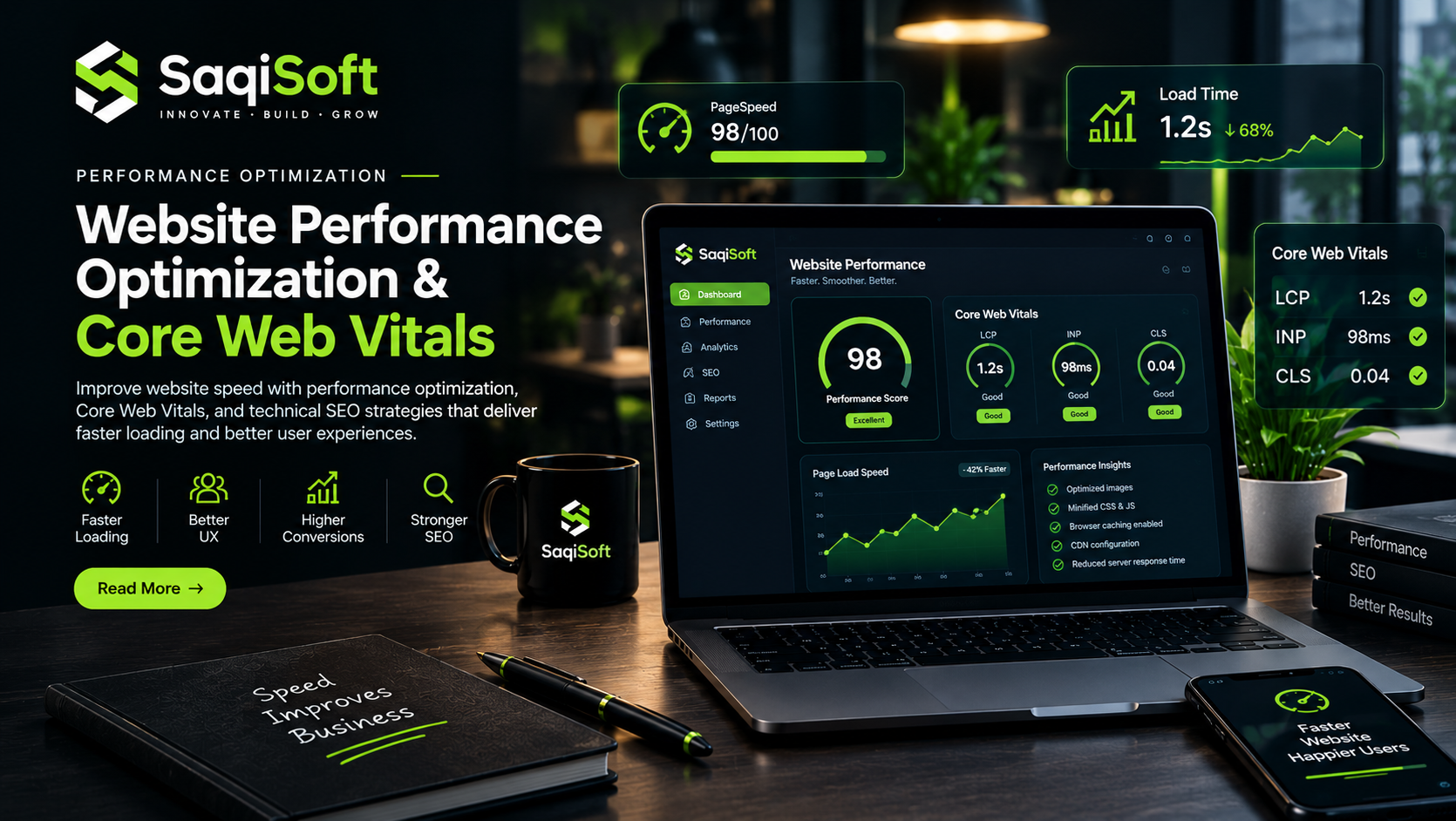
Google's Core Web Vitals are a set of user experience metrics that evaluate important aspects of website performance.
They focus on loading performance, responsiveness, and visual stability.
Understanding these metrics is an important part of professional website performance optimization.
1. Largest Contentful Paint (LCP)
LCP measures how quickly the largest visible content element loads within the viewport.
This may be a large heading, image, or other significant content element.
Google's recommended LCP threshold is:
Good: 2.5 seconds or less
Needs Improvement: More than 2.5 seconds and up to 4 seconds
Poor: More than 4 seconds
How to Improve LCP:
Optimize large images.
Improve server response times.
Reduce render-blocking resources.
Preload important assets when appropriate.
Use efficient caching and content delivery.
2. Interaction to Next Paint (INP)
INP measures how quickly a website responds visually after user interactions throughout a visit.
It helps identify responsiveness problems caused by heavy JavaScript execution and inefficient event handling.
Google's recommended INP threshold is:
Good: 200 milliseconds or less
Needs Improvement: More than 200 milliseconds and up to 500 milliseconds
Poor: More than 500 milliseconds
How to Improve INP:
Reduce unnecessary JavaScript execution.
Break up long-running tasks.
Optimize event handlers.
Reduce excessive third-party scripts.
Improve frontend application architecture.
3. Cumulative Layout Shift (CLS)
CLS measures unexpected layout movement during the loading process.
For example, an image without reserved dimensions may cause nearby text and buttons to move after the image loads.
Google's recommended CLS threshold is:
Good: 0.1 or less
Needs Improvement: More than 0.1 and up to 0.25
Poor: More than 0.25
How to Improve CLS:
Specify image dimensions.
Reserve space for advertisements and embedded content.
Avoid inserting content above existing elements unexpectedly.
Use stable font-loading strategies.
Maintain consistent component dimensions.
Why Core Web Vitals Matter
Core Web Vitals provide useful information about real-world user experiences.
They should be monitored alongside other performance indicators, such as server response time, page weight, accessibility, and usability.
04. Common Reasons Websites Become Slow
Before improving website performance, it is important to understand what causes delays.
Many websites experience performance problems because of multiple small issues rather than one major technical failure.
1. Unoptimized Images
Large images can increase page size and delay the loading of important visual content.
2. Excessive JavaScript
Unnecessary scripts can increase processing time and affect page responsiveness.
3. Render-Blocking CSS and JavaScript
Some resources can delay the browser from displaying important page content.
4. Poor Hosting Infrastructure
Slow servers and inefficient configurations can increase initial response times.
5. Too Many WordPress Plugins
Excessive or poorly optimized plugins may introduce additional scripts, stylesheets, database queries, and processing overhead.
6. Missing Caching Configuration
Without appropriate caching, browsers and servers may repeatedly process resources that could be delivered more efficiently.
7. Third-Party Scripts
Analytics tools, advertising scripts, chat widgets, and external integrations can introduce additional performance costs.
Important Observation:
Installing a caching plugin alone does not guarantee a fast website. Effective optimization requires identifying the actual bottlenecks and addressing them individually.
05. Practical Techniques for Website Speed Optimization
Website speed optimization involves improving how resources are loaded, processed, stored, and delivered.
A structured optimization process helps developers achieve measurable improvements without unnecessarily changing the website's functionality.
Image Compression and Modern Formats
Use appropriately sized images and modern formats such as WebP or AVIF where supported.
Avoid loading unnecessarily large images on smaller screens.
Browser and Server Caching
Caching stores reusable resources so they can be delivered more efficiently.
Different caching strategies may include:
Browser caching
Page caching
Object caching
Server-side caching
CDN caching
CSS and JavaScript Optimization
Remove unused code, minimize unnecessary resources, and defer non-critical scripts where appropriate.
Lazy Loading
Load below-the-fold images and other suitable resources when they are approaching the user's viewport.
However, avoid lazy-loading important above-the-fold images, especially the main LCP image.
Content Delivery Networks
A CDN distributes website resources through geographically distributed servers, helping deliver content closer to visitors.
Database Optimization
Efficient database queries and proper indexing can improve response times for dynamic websites and applications.
06. Image Optimization and Efficient Resource Delivery
Images often represent a significant portion of a website's total page weight.
Using large, uncompressed images can negatively affect loading performance, especially on mobile connections.
Image optimization should therefore be part of every website performance strategy.
Best Practices for Image Optimization
Use Modern Image Formats
WebP and AVIF can reduce file sizes while maintaining suitable visual quality.
Choose the Right Dimensions
Serve images at dimensions appropriate for their actual display size.
Implement Responsive Images
Use responsive image techniques so devices receive appropriately sized resources.
Compress Images
Reduce unnecessary file weight without introducing noticeable visual quality loss.
Use Lazy Loading Carefully
Load non-critical images as users scroll through the page.
Prioritize Important Images
Make sure hero images and other important above-the-fold visuals load efficiently.
Font and Asset Optimization
Fonts, icons, and other visual assets also affect website performance.
Businesses should consider:
Using fewer font families and weights.
Preloading critical fonts when necessary.
Removing unused icon libraries.
Optimizing SVG assets.
Reducing unnecessary external requests.
Efficient resource delivery improves both loading speed and the overall browsing experience.
07. Frontend and Backend Performance Improvements
Website performance depends on both frontend and backend systems.
The frontend determines how efficiently content is displayed and how users interact with the interface. The backend handles application logic, databases, authentication, and server-side processing.
Both sides must work efficiently.
Frontend Optimization
Frontend improvements may include:
Reducing unnecessary JavaScript.
Optimizing React component rendering.
Splitting application code.
Removing unused CSS.
Improving font delivery.
Using efficient image-loading strategies.
Reducing third-party dependencies.
Backend Optimization
Backend improvements may include:
Optimizing database queries.
Improving API response times.
Implementing suitable caching.
Reducing unnecessary server processing.
Optimizing authentication workflows.
Using appropriate hosting infrastructure.
Why Next.js Can Help
Next.js provides several features that can support website performance when implemented correctly.
These include:
Server Components: Help move suitable rendering and processing work to the server.
Static Generation: Allows appropriate pages to be generated ahead of time.
Server-Side Rendering: Generates page content on the server for each request when needed.
Image Optimization: Helps deliver appropriately sized images.
Code Splitting: Supports loading application code more efficiently.
The best approach depends on the project architecture and its actual performance requirements.
08. Technical SEO and Website Performance
Website performance and technical SEO are closely connected.
Search engines need to access, crawl, and understand website content effectively. A technically sound website helps establish a stronger foundation for organic search visibility.
However, improving website speed alone does not guarantee higher Google rankings.
Content relevance, quality, search intent, authority, and many other factors remain important.
Important Technical SEO Considerations
Mobile-Friendly Design
Ensure important content and functionality work properly on mobile devices.
Crawlable Website Architecture
Use logical navigation and internal linking to help search engines discover important pages.
Optimized Metadata
Create unique and descriptive page titles and meta descriptions.
Canonical URLs
Use appropriate canonical tags to help manage duplicate or similar pages.
Structured Data
Implement relevant structured data where appropriate to help search engines understand page content.
XML Sitemap
Maintain an accurate sitemap containing important indexable URLs.
HTTPS Security
Use secure connections to protect information exchanged between visitors and your website.
Combining Performance and SEO
A fast website with clear architecture, useful content, and mobile-friendly functionality provides a better foundation for long-term organic growth.
09. How to Measure and Monitor Website Performance
Website optimization should be based on measurable data rather than assumptions.
Testing tools help developers identify problems, compare results, and understand which improvements deliver the most value.
Useful Website Performance Tools
Google PageSpeed Insights
Provides performance reports, laboratory testing, and available real-user field data.
Google Search Console
Helps monitor Core Web Vitals performance across eligible website URLs.
Lighthouse
Evaluates performance, accessibility, SEO, and other quality indicators.
Chrome DevTools
Helps developers inspect network requests, JavaScript execution, rendering, and performance bottlenecks.
WebPageTest
Provides detailed website loading tests and performance diagnostics.
A Practical Monitoring Process
Test important website pages before optimization.
Identify the largest performance bottlenecks.
Prioritize issues affecting real users.
Implement targeted improvements.
Test the website again.
Compare laboratory and real-user performance data.
Monitor results after future updates.
Professional Recommendation:
Do not focus exclusively on a single PageSpeed score. Evaluate actual user experience, real-world performance data, and business-critical website functionality.
10. Choosing the Right Website Performance Optimization Partner
Improving website performance requires technical knowledge and a structured approach.
A reliable optimization partner should understand how frontend code, backend infrastructure, hosting, caching, and third-party resources work together.
What to Look For
Technical Expertise
The team should understand modern web technologies, performance metrics, and optimization techniques.
Core Web Vitals Knowledge
They should know how to identify and improve LCP, INP, and CLS issues.
Experience with Your Platform
Whether your website uses WordPress, WooCommerce, Next.js, or custom technologies, relevant experience matters.
Performance Auditing
Look for a structured process that identifies problems before implementing changes.
Testing and Validation
Every major optimization should be tested to ensure it improves performance without breaking website functionality.
Long-Term Monitoring
Performance should be reviewed regularly as content, plugins, scripts, and website features change.
How SaqiSoft Helps Businesses Build Faster Websites
At SaqiSoft, we understand that website performance affects more than technical scores. It influences how customers interact with your business and experience your digital products.
Our website performance optimization approach focuses on identifying technical bottlenecks and improving the efficiency of your website.
Our capabilities include:
Website Speed Optimization
Core Web Vitals Optimization
WordPress Performance Optimization
WooCommerce Speed Improvements
Next.js Performance Optimization
Image and Asset Optimization
CSS and JavaScript Optimization
Caching and CDN Configuration
Technical SEO Improvements
Website Performance Auditing
Whether your website suffers from slow loading, poor mobile performance, excessive scripts, or inefficient resource delivery, SaqiSoft helps identify practical improvements.
Our goal is to create faster, more reliable digital experiences that support your business objectives.
Frequently Asked Questions
1. What is website performance optimization?
Website performance optimization is the process of improving loading speed, responsiveness, resource delivery, and overall website efficiency.
2. Why is website speed important for SEO?
Website speed contributes to page experience and Core Web Vitals, which are among Google's ranking signals. However, speed alone does not determine search rankings.
3. What are Google's Core Web Vitals?
Core Web Vitals are user experience metrics that measure loading performance (LCP), responsiveness (INP), and visual stability (CLS).
4. How can I check my website speed?
You can use Google PageSpeed Insights, Lighthouse, Chrome DevTools, and WebPageTest to evaluate website performance.
5. Can WordPress websites be optimized for speed?
Yes. WordPress websites can benefit from image optimization, efficient themes, caching, database improvements, optimized plugins, and better hosting configurations.
6. Does website hosting affect performance?
Yes. Server resources, configuration, location, and infrastructure can influence response times and overall website performance.
7. What is a good Core Web Vitals score?
Google recommends LCP of 2.5 seconds or less, INP of 200 milliseconds or less, and CLS of 0.1 or less for good user experiences.
8. How often should website performance be checked?
Performance should be monitored regularly and after significant website updates, design changes, plugin installations, or infrastructure modifications.
Final Thoughts
Website performance is an essential part of building a successful digital presence.
A slow website can create unnecessary friction, while an optimized platform provides visitors with faster access to information, smoother interactions, and a more reliable experience.
From image compression and caching to frontend optimization and Core Web Vitals improvements, every technical detail contributes to the overall performance of a website.
Businesses that prioritize website performance can build stronger digital experiences and establish a better foundation for long-term growth.
Have Something Ambitious in Mind?
Your website deserves more than just a beautiful design. It deserves performance that keeps your business moving.
Start your project with SaqiSoft and build a faster, smarter digital experience.

SaqiSoft
Strategy, design, development and automation for ambitious digital businesses.