Introduction
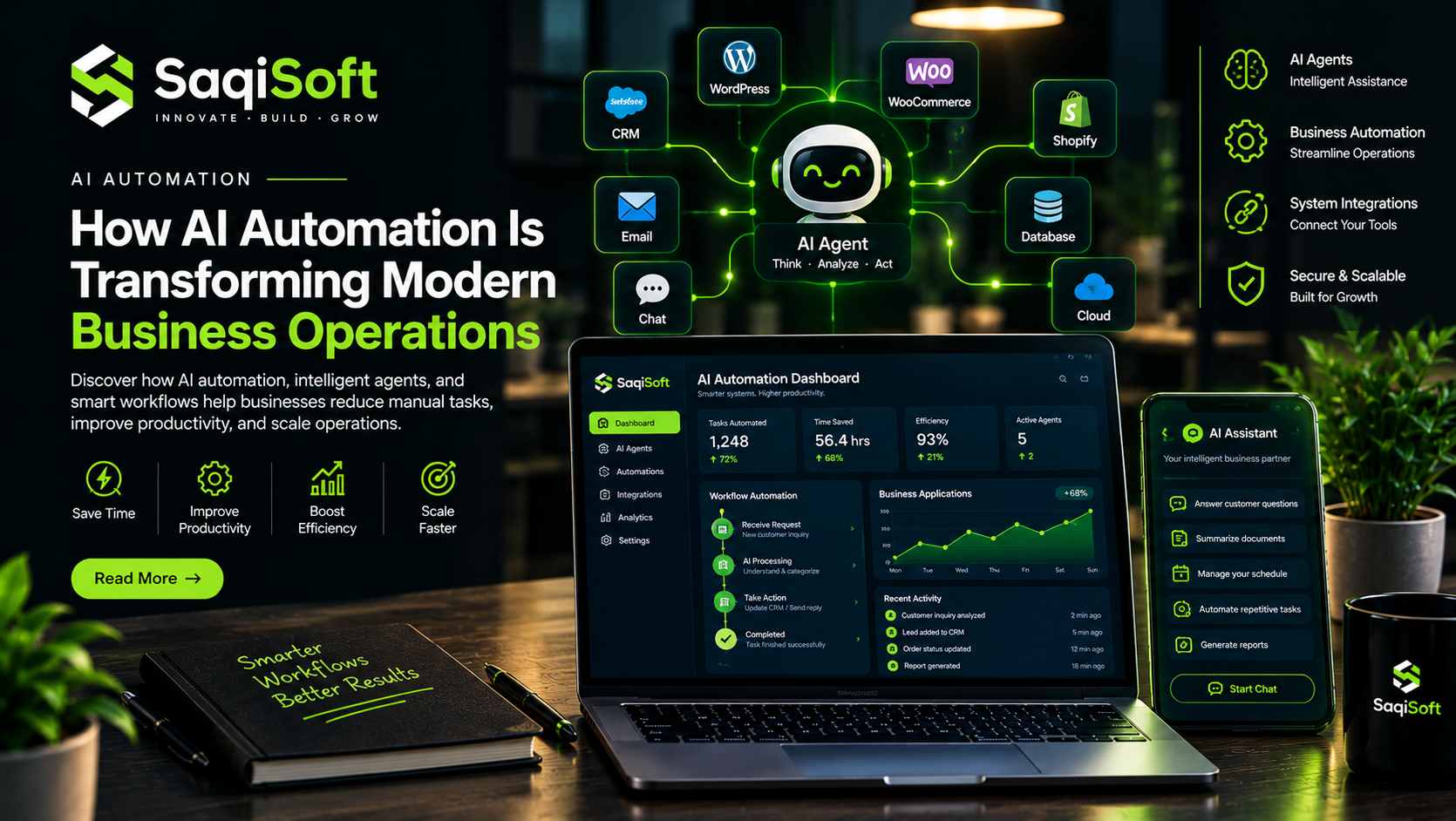
Artificial Intelligence is changing how modern businesses manage their operations, communicate with customers, and make decisions.
Tasks that previously required hours of manual work can now be handled through intelligent systems capable of analyzing information, processing requests, generating responses, and coordinating workflows.
AI automation goes beyond traditional automation. While conventional automation follows predefined rules, AI-powered systems can understand context, process unstructured information, recognize patterns, and assist with more complex tasks.
For businesses, this creates opportunities to improve productivity, reduce repetitive work, and build more efficient operational processes.
From intelligent customer support and automated lead qualification to document processing and AI-powered business assistants, companies are increasingly exploring practical ways to integrate AI into their operations.
However, successful AI implementation requires more than connecting an AI model to an application. Businesses need reliable workflows, secure integrations, accurate data, and clearly defined objectives.
In this guide, we explore how AI automation works, where businesses can use it, and how intelligent solutions can support long-term growth.
01. Why Businesses Are Adopting AI automation solutions
Businesses handle large amounts of information and repetitive activities every day.
Managing customer inquiries, processing documents, updating records, generating reports, and coordinating teams can consume significant employee time.
AI automation helps organizations reduce this operational burden by combining artificial intelligence with automated business workflows.
Common Reasons for AI Adoption
Reduced Manual Work
Automate repetitive activities and allow employees to focus on more valuable responsibilities.
Faster Information Processing
AI systems can analyze documents, messages, and other business information more efficiently.
Improved Customer Communication
Automated assistants can respond to common questions and help customers find relevant information.
Better Operational Efficiency
Connect different business processes through intelligent workflows.
Scalable Operations
Handle increasing workloads without requiring every task to be completed manually.
Improved Decision Support
Use AI-powered analysis to identify patterns and summarize relevant business information.
Why This Matters
AI automation is not about replacing every human task. It is about identifying activities where intelligent systems can reduce unnecessary effort and help employees work more effectively.
Businesses that focus on practical AI use cases can build more efficient operations without introducing unnecessary technical complexity.
02. What Is AI Automation and How Does It Work?
AI automation combines artificial intelligence technologies with software workflows to perform tasks that traditionally require human input.
It can involve natural language processing, machine learning, large language models, computer vision, and automated system integrations.
Traditional Automation vs. AI Automation
Traditional Automation
Traditional automation follows predefined rules and conditions.
For example:
Send an email after a customer submits a form.
Update inventory after an order is placed.
Generate a report at a scheduled time.
Notify employees when a task is assigned.
AI Automation
AI automation can handle more flexible tasks that involve understanding information and making context-based decisions.
For example:
Understand customer messages and identify their intent.
Extract information from business documents.
Categorize incoming support requests.
Summarize lengthy reports.
Generate personalized responses.
Recommend the next action based on available information.
How an AI Automation Workflow Works
A typical workflow may follow these steps:
Trigger: A customer submits a request or a business event occurs.
Data Collection: The system retrieves relevant information.
AI Processing: An AI model interprets the information.
Decision Making: The workflow evaluates the result against defined conditions.
Action: The system updates records, sends notifications, or performs another permitted task.
Verification: The result is logged and reviewed where necessary.
This approach combines AI capabilities with predictable software logic to create more useful business automation.
03. AI Agents and Intelligent Business Assistants
AI agents are software systems designed to understand objectives, process information, and perform tasks using available tools and integrations.
Unlike simple chatbots that mainly respond to predefined questions, AI agents can work through multiple steps to complete a specific task.
What Can AI Agents Do?
Customer Support Assistance
Understand customer questions, retrieve relevant information, and suggest appropriate responses.
Lead Qualification
Analyze incoming inquiries, identify potential customers, and organize leads according to business criteria.
Appointment Management
Check connected scheduling information and assist with appointment workflows.
Document Processing
Extract relevant details from invoices, forms, and business documents.
Research Assistance
Collect information from authorized sources and prepare structured summaries.
Internal Business Assistance
Help employees locate information, summarize reports, and complete repetitive administrative tasks.
AI Agents vs. Traditional Chatbots
Traditional chatbots often depend on predefined conversation flows.
AI agents can interpret natural language, use connected tools, maintain task context, and perform multi-step operations within their permissions.
However, agents should not be given unlimited access to business systems.
Sensitive actions such as payments, account changes, data deletion, and external communications should include suitable permissions and human approval.
Key Insight:
The most useful AI agents are not necessarily the most complicated ones. They are the systems that reliably complete clearly defined business tasks.
04. Business Processes You Can Automate with AI
Almost every business has repetitive workflows that require employees to collect, organize, review, or transfer information.
AI automation can improve these processes when implemented with suitable data sources and business rules.
1. Sales and Lead Management
AI can help businesses:
Categorize incoming leads.
Analyze inquiry messages.
Extract contact requirements.
Summarize customer conversations.
Prepare follow-up suggestions.
Update connected CRM records.
2. Marketing Automation
AI-powered marketing workflows can:
Generate content drafts.
Categorize marketing audiences.
Analyze campaign performance.
Suggest content topics.
Assist with email personalization.
Summarize customer engagement data.
3. Document Processing
AI systems can extract information from:
Invoices
Purchase orders
Application forms
Contracts
Business reports
Customer documents
Extracted information can then be reviewed and transferred into connected business systems.
4. Administrative Operations
Businesses can automate:
Internal notifications
Task assignments
Meeting summaries
Report generation
Data categorization
Routine information requests
5. E-Commerce Operations
AI automation can support:
Product information processing.
Customer inquiry classification.
Order status notifications.
Product recommendation workflows.
Review sentiment analysis.
Inventory alerts.
6. Human Resource Operations
AI can assist with:
Organizing applications.
Extracting information from CVs.
Preparing interview summaries.
Answering routine employee questions.
Managing internal documentation.
Important employment decisions should remain subject to appropriate human review.
05. AI-Powered Customer Support and Communication
Customer expectations continue to increase as businesses operate across websites, email, social media, and messaging platforms.
Responding to every inquiry manually can become difficult, especially when customer volumes increase.
AI-powered customer support helps businesses manage common requests more efficiently.
How AI Customer Support Works
An AI assistant can receive a customer message, understand its intent, retrieve relevant information, and generate an appropriate response.
For example, an online store may receive questions about:
Product availability
Shipping information
Return policies
Order status
Payment methods
Product specifications
An integrated AI assistant can retrieve information from authorized business systems and provide relevant answers.
Benefits of AI Customer Support
Faster Responses
Handle common customer questions without requiring manual responses to every inquiry.
24/7 Availability
Provide automated assistance outside normal business hours.
Consistent Information
Use approved business knowledge and documentation to generate more consistent responses.
Reduced Support Workload
Help support teams focus on complex customer problems.
Better Request Classification
Identify whether a message relates to sales, billing, technical support, or another department.
Human Support Still Matters
AI should not replace human assistance in every situation.
Complex complaints, sensitive customer issues, financial disputes, and situations requiring judgment should be transferred to qualified employees.
06. Connecting AI with Existing Business Systems
AI becomes more valuable when it can work with the systems a business already uses.
Instead of operating as an isolated chatbot, an integrated AI solution can retrieve relevant information and support existing workflows.
Common AI Integrations
CRM Platforms
Connect AI with customer records, sales pipelines, and lead management systems.
E-Commerce Platforms
Integrate AI with WooCommerce and other supported e-commerce systems.
Email Platforms
Assist with email classification, summaries, and response drafting.
Business Databases
Retrieve authorized information and process structured business records.
Communication Tools
Connect workflows with supported messaging and notification platforms.
Internal Applications
Integrate AI into custom dashboards, customer portals, and enterprise software.
APIs and Webhooks
APIs allow applications to exchange information with AI services and external platforms.
Webhooks can trigger automated workflows when specific events occur.
For example:
A new order is placed in WooCommerce → The system retrieves order information → AI categorizes the request if needed → The workflow updates connected records → The customer receives an appropriate notification.
Why Integration Architecture Matters
Reliable AI integrations require:
Secure API authentication.
Appropriate access permissions.
Input validation.
Error handling.
Data synchronization.
Activity logging.
Rate-limit management.
A well-designed integration ensures that AI functionality supports existing business processes instead of creating additional complexity.
07. Benefits of Intelligent Workflow Automation
AI automation can create measurable operational improvements when it addresses genuine business problems.
1. Increased Productivity
Employees spend less time handling repetitive administrative tasks.
2. Faster Business Processes
Automated workflows reduce unnecessary delays between connected operations.
3. Better Information Management
AI can organize, categorize, and summarize information from different sources.
4. Improved Customer Experience
Customers can receive faster responses and more convenient access to relevant information.
5. Operational Scalability
Businesses can handle additional workflows and requests with less repetitive manual effort.
6. Reduced Administrative Complexity
Connected systems can reduce duplicate data entry and unnecessary manual coordination.
7. Better Business Insights
AI can help analyze large amounts of information and present useful summaries for decision-makers.
Measuring the Results
Businesses should evaluate AI automation using practical indicators such as:
Time saved per task.
Average response time.
Number of successfully completed workflows.
Manual intervention frequency.
Error and exception rates.
Cost per processed request.
Customer satisfaction.
Measuring these indicators helps determine whether an AI implementation is delivering real business value.
08. Challenges and Risks of AI Implementation
Although AI automation provides significant opportunities, it also introduces technical and operational challenges.
Businesses should understand these limitations before deploying AI-powered systems.
1. Inaccurate AI Responses
AI models can generate incorrect or misleading information.
Solution: Use approved knowledge sources, validation rules, and human review for important decisions.
2. Data Privacy Concerns
Business applications may process confidential customer and operational information.
Solution: Apply appropriate access controls, data protection measures, and provider privacy policies.
3. Integration Complexity
Connecting AI with multiple existing platforms may require significant development work.
Solution: Plan integrations carefully and use standardized APIs where possible.
4. Unpredictable Operating Costs
AI services may charge based on usage, model selection, or processing volume.
Solution: Monitor usage, select appropriate models, and implement spending limits.
5. Workflow Errors
An AI system may misunderstand instructions or produce an incorrect action.
Solution: Validate outputs, use deterministic business rules, maintain audit logs, and require approval for high-impact actions.
6. Over-Automation
Automating processes that require human judgment can create unnecessary risks.
Solution: Keep employees involved in sensitive, complex, and high-value decisions.
Important Consideration:
Successful AI automation requires a balance between intelligent processing, reliable software engineering, security, and human oversight.
09. How to Implement AI Automation Successfully
Implementing AI across an entire business at once can introduce unnecessary complexity.
A better approach is to start with a specific operational problem and gradually expand the solution.
Step 1: Identify Repetitive Processes
Review everyday activities and identify tasks that consume significant employee time.
Step 2: Define Clear Objectives
Determine what the AI system should accomplish and how success will be measured.
Step 3: Evaluate Available Data
Identify the information sources required by the automation workflow.
Step 4: Choose the Right AI Technology
Select suitable models, APIs, and automation technologies according to the project requirements.
Step 5: Design the Workflow
Define triggers, processing steps, decision rules, integrations, and exception handling.
Step 6: Build an MVP
Develop a focused initial solution that handles one important business process.
Step 7: Test and Validate
Test normal scenarios, incorrect inputs, unexpected responses, and integration failures.
Step 8: Deploy with Monitoring
Monitor performance, usage, errors, and business outcomes after deployment.
Step 9: Improve and Expand
Use operational feedback to improve the workflow and introduce additional automation opportunities.
Practical Example
Consider a company receiving hundreds of customer inquiries every week.
Instead of manually reviewing every message, it can introduce an AI-powered lead management workflow.
The system can classify incoming inquiries, summarize customer requirements, identify relevant service categories, and update the CRM.
Sales employees can then review qualified leads and focus on meaningful conversations.
This creates a practical automation solution without removing human involvement from important sales decisions.
10. Choosing the Right AI Development Partner
Building reliable AI solutions requires a combination of software engineering, AI integration, workflow design, and business understanding.
Choosing the right development partner can help businesses avoid unnecessary complexity and implementation risks.
What to Look For
AI Integration Experience
The development team should understand how to connect AI models with business applications.
Custom Software Development
Look for experience building applications, APIs, dashboards, and backend systems.
Workflow Automation Knowledge
The team should understand triggers, conditions, data processing, and multi-step workflows.
Security Awareness
AI solutions should follow appropriate data protection and access management practices.
Scalable Architecture
The application should support future improvements and increasing usage.
Testing and Monitoring
A reliable development partner should validate AI outputs and monitor workflow performance.
Business Understanding
Technical solutions should solve actual operational problems rather than introduce AI simply for marketing purposes.
How SaqiSoft Builds Intelligent AI Automation Solutions
At SaqiSoft, we help businesses transform repetitive operations into intelligent digital workflows.
Our approach combines modern software development, AI integrations, and custom automation to create solutions around real business requirements.
Our capabilities include:
AI Automation Development
Custom AI Agent Development
Intelligent Business Assistants
AI Chatbot Development
Business Process Automation
AI API Integrations
CRM and Lead Automation
Document Processing Automation
E-Commerce AI Integrations
Custom Workflow Development
AI-Powered Dashboards
System Integrations and Webhooks
Whether you want to automate customer communication, develop an intelligent business assistant, or connect AI with your existing software, SaqiSoft can help turn your requirements into practical digital solutions.
We focus on building secure, maintainable, and scalable systems that support business productivity and long-term growth.
Frequently Asked Questions
1. What is AI automation?
AI automation combines artificial intelligence with software workflows to perform tasks involving information processing, decision support, and repetitive business operations.
2. How can AI automation help small businesses?
Small businesses can use AI to automate customer inquiries, organize leads, process documents, generate content drafts, and reduce repetitive administrative work.
3. What is an AI agent?
An AI agent is a software system that can understand objectives, process information, and use connected tools to complete tasks within defined permissions.
4. Can AI integrate with existing business software?
Yes. AI can integrate with supported CRM platforms, websites, databases, e-commerce stores, and other applications through APIs and webhooks.
5. Is AI automation expensive?
Costs depend on the AI models, development requirements, integrations, infrastructure, and usage volume. Small projects can start with limited functionality and expand gradually.
6. Can AI automate customer support?
Yes. AI assistants can answer common questions, classify requests, retrieve approved information, and route complex issues to human support teams.
7. Is AI automation secure?
AI automation can be implemented securely using appropriate authentication, access controls, encryption, monitoring, and data protection practices.
8. How long does it take to build an AI automation solution?
Simple workflows may take days or weeks, while complex AI agents and enterprise automation platforms can require several months.
Final Thoughts
AI automation is creating new opportunities for businesses to improve productivity, streamline operations, and deliver better customer experiences.
From intelligent agents and automated customer support to document processing and connected business workflows, AI can help organizations handle repetitive tasks more efficiently.
However, successful implementation depends on choosing the right use cases, reliable technologies, secure integrations, and appropriate human oversight.
Businesses that approach AI strategically can build intelligent systems that solve real problems and support sustainable growth.
Have Something Ambitious in Mind?
Your business can do more with intelligent automation.
Start your AI project with SaqiSoft and turn complex workflows into smarter digital solutions.

SaqiSoft
Strategy, design, development and automation for ambitious digital businesses.