Introduction
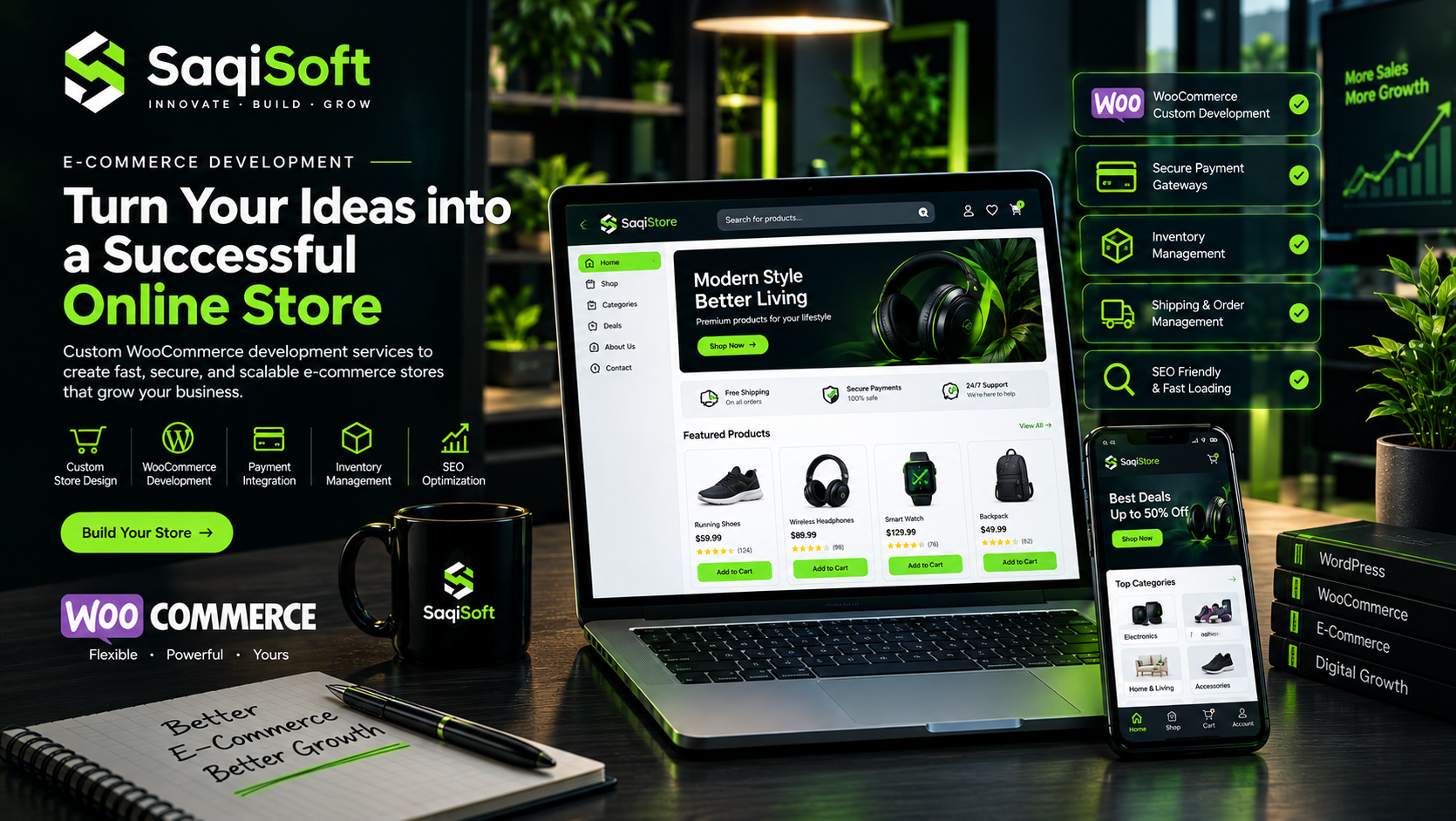
Building an online store is no longer just about displaying products and accepting orders. Modern e-commerce businesses need reliable platforms that provide smooth shopping experiences, secure payment processing, efficient inventory management, and flexible customization.
This is where WooCommerce development becomes valuable.
Built on WordPress, WooCommerce provides businesses with a flexible e-commerce solution that can be customized according to their products, customers, and operational requirements.
Whether you are launching a new online store, migrating from another platform, or improving an existing e-commerce website, the right development strategy can make a significant difference.
A successful online store should do more than look attractive. It should help customers discover products, understand pricing, complete purchases, and return for future orders.
In this guide, we explore how WooCommerce development can help businesses create scalable online stores and build stronger digital shopping experiences.
01. Why Businesses Are Choosing WooCommerce development services
Businesses need e-commerce platforms that offer flexibility, control, and the ability to grow without unnecessary technical limitations.
WooCommerce provides an accessible foundation for building online stores while allowing developers to extend functionality through custom development.
Key Reasons to Choose WooCommerce
Flexible Store Management
Manage products, categories, pricing, orders, and customer information through a centralized dashboard.
Customization Opportunities
Customize store layouts, product pages, checkout experiences, and business workflows.
WordPress Integration
Take advantage of WordPress content management, blogging, and publishing capabilities.
Extensive Extensions
Connect your store with supported payment gateways, shipping services, marketing tools, and business systems.
SEO-Friendly Foundation
Use WordPress SEO tools and structured content to improve product discoverability.
Ownership and Control
Maintain greater control over your website, hosting environment, and store functionality.
Who Should Use WooCommerce?
WooCommerce can be suitable for:
Small and medium-sized online businesses
Fashion and clothing stores
Electronics retailers
Beauty and skincare brands
Wholesale businesses
Subscription-based stores
Businesses selling digital products
Established retailers expanding online
Key Insight:
WooCommerce is not limited to basic online stores. With the right architecture and customization, it can support complex e-commerce requirements.
02. What Makes WooCommerce a Powerful E-Commerce Platform?
WooCommerce combines the flexibility of WordPress with dedicated e-commerce functionality.
It provides essential store management features while allowing developers to customize how products are displayed, how customers interact with the store, and how orders are processed.
Core WooCommerce Features
Product Management
Create simple, variable, virtual, and downloadable products with configurable pricing and attributes.
Order Management
View orders, update statuses, manage customer information, and track purchase activity.
Customer Accounts
Allow customers to register, log in, view orders, and manage account information.
Product Categories
Organize products into categories and subcategories for easier navigation.
Discounts and Coupons
Create promotional offers and discount codes to support marketing campaigns.
Shipping Configuration
Configure shipping zones, delivery methods, and applicable shipping rates.
Store Analytics
Review important sales and order information to understand store performance.
These features provide a strong starting point for businesses that want to establish an online selling channel.
03. Essential Features of a Successful Online Store
A successful e-commerce store needs more than product listings and a shopping cart.
Customers expect a convenient shopping journey from the moment they enter the website until they complete their purchase.
1. Professional Homepage
Your homepage should communicate your brand, highlight important products, and guide visitors toward relevant categories.
2. Optimized Product Pages
Every product page should provide useful information, clear images, pricing, product variations, and purchase options.
3. Smart Product Filtering
Filters help customers find products based on attributes such as price, size, color, brand, and availability.
4. Shopping Cart
A well-designed cart should clearly display selected products, quantities, pricing, and applicable discounts.
5. Simple Checkout
Customers should be able to complete purchases without unnecessary steps or confusing forms.
6. Mobile-Friendly Shopping
Your store should work smoothly across smartphones, tablets, and desktop devices.
7. Customer Reviews
Product reviews provide useful feedback and help potential customers make informed purchasing decisions.
8. Order Notifications
Automated email notifications help customers stay informed about order confirmation, processing, shipping, and completion.
Practical Recommendation:
Prioritize the shopping journey before adding advanced features. A simple and reliable purchase process is more valuable than a store filled with unnecessary functionality.
04. Custom WooCommerce Development and Functionality
Every e-commerce business has different requirements.
A standard WooCommerce installation may provide essential features, but growing businesses often need functionality that matches their specific operations.
Custom WooCommerce development helps extend the platform beyond its default capabilities.
Common Custom WooCommerce Solutions
Custom Product Pages
Create product layouts with tailored sections, specifications, galleries, and purchase options.
Advanced Product Filters
Develop custom filtering systems that help customers find products quickly.
Custom Checkout Fields
Collect the information required for specific business processes without making checkout unnecessarily complicated.
Product Bundles
Allow customers to purchase related products together.
Custom Pricing Rules
Implement business-specific pricing, discounts, or quantity-based offers.
Wholesale Functionality
Create customer-specific pricing and purchasing workflows for wholesale buyers.
Custom Account Dashboards
Provide customers with personalized account information, order history, and additional functionality.
Automated Store Workflows
Connect order processing, customer notifications, and inventory updates with business systems.
Why Custom Development Matters
Custom functionality allows businesses to create a shopping experience that reflects their actual operations.
Instead of depending on multiple plugins for every requirement, developers can implement carefully planned solutions that reduce unnecessary complexity.
05. Payment Gateway Integration and Secure Checkout
Payment processing is one of the most important parts of an online store.
Customers need reliable payment options, clear transaction information, and confidence that their financial information is handled securely.
WooCommerce supports multiple payment integration approaches, depending on the business location and payment provider.
Common Payment Options
Credit and debit card payments
Bank transfer
Cash on delivery
Digital wallets
Supported international payment providers
Region-specific payment services
What Is Payment Gateway Integration?
A payment gateway connects your online store with a payment processing provider.
When a customer places an order, the gateway securely handles the payment process and communicates the transaction result to the store.
Essential Checkout Security Practices
HTTPS Protection
Use SSL/TLS encryption to protect information transmitted between customers and your website.
Secure Payment Providers
Use reputable payment processors and their supported integration methods.
Webhook Verification
Verify payment notifications before updating order statuses.
Access Control
Protect administrative accounts and sensitive store functionality.
Regular Updates
Keep WordPress, WooCommerce, themes, and plugins updated.
PCI Compliance Considerations
Use payment providers and integration methods that support the applicable PCI DSS requirements. Avoid storing sensitive card information directly on your website.
Creating a Better Checkout Experience
A checkout page should make purchasing simple.
Useful improvements include:
Clear order summaries
Transparent shipping costs
Multiple supported payment methods
Guest checkout where appropriate
Mobile-friendly forms
Clear error messages
Simple address fields
A reliable checkout process helps reduce unnecessary purchasing friction.
06. Inventory and Order Management
Managing inventory becomes increasingly complex as product catalogs and order volumes grow.
Businesses need accurate stock information to avoid overselling, reduce manual work, and maintain reliable order processing.
WooCommerce provides built-in inventory management features that can be extended according to business requirements.
Important Inventory Management Features
Stock Tracking
Monitor available product quantities and update stock levels after purchases.
Low Stock Notifications
Receive alerts when product quantities reach configured thresholds.
Product Variations
Manage different product options such as sizes, colors, and specifications.
Order Status Management
Track orders from initial placement through processing, completion, or cancellation.
Inventory Synchronization
Connect WooCommerce with external inventory or warehouse management systems.
Bulk Product Management
Update product information and stock quantities more efficiently.
Why Inventory Synchronization Matters
Businesses selling through multiple channels may need to synchronize product quantities between their website, physical stores, marketplaces, and warehouse systems.
Custom integrations can help maintain consistent inventory information and reduce manual updates.
07. E-Commerce Design and Shopping Experience
Your store's design directly influences how customers explore products and interact with your brand.
An effective e-commerce interface should make product discovery simple while maintaining a consistent visual identity.
Essential E-Commerce Design Principles
Clear Navigation
Organize categories and menus so customers can find products easily.
Visual Product Presentation
Use high-quality images and consistent product galleries.
Readable Product Information
Present pricing, specifications, availability, and important details clearly.
Consistent Branding
Maintain consistent colors, typography, buttons, and visual components.
Mobile-First Design
Prioritize a convenient experience for smartphone users.
Visible Calls to Action
Make actions such as Add to Cart, Buy Now, and Checkout easy to identify.
The Role of UI/UX in E-Commerce
A well-designed store reduces confusion throughout the shopping process.
For example, customers should be able to select product variations, understand shipping costs, and review their cart without navigating through unnecessary pages.
Good e-commerce UX focuses on helping customers complete purchases with confidence.
08. SEO and Performance Optimization for Online Stores
A successful online store needs more than attractive product pages. Customers must also be able to discover products through search engines.
E-commerce SEO helps improve how product pages, categories, and informational content appear in organic search results.
Important WooCommerce SEO Practices
Optimized Product Titles
Write descriptive titles that accurately represent products and match relevant search intent.
Unique Product Descriptions
Create useful product descriptions instead of relying entirely on manufacturer-provided content.
SEO-Friendly URLs
Use clear and descriptive product and category URLs.
Product Structured Data
Implement appropriate product structured data to help search engines understand product information.
Internal Linking
Connect related products, categories, and helpful blog content.
Image Alt Text
Write meaningful alternative text for informative product images.
XML Sitemap
Ensure important product and category pages can be discovered through your sitemap.
WooCommerce Speed Optimization
Large product images, excessive plugins, unoptimized scripts, and inefficient database queries can affect store performance.
Important optimization techniques include:
Compressing product images.
Using WebP or AVIF where appropriate.
Implementing caching carefully.
Optimizing CSS and JavaScript.
Improving database queries.
Using suitable hosting infrastructure.
Reducing unnecessary third-party scripts.
Why Performance Matters
Customers expect product pages, filters, and checkout processes to respond quickly.
A faster store creates a smoother shopping experience and provides a stronger technical foundation for organic growth.
09. Scaling Your E-Commerce Business
As your online store grows, its technical and operational requirements will change.
More products, customers, orders, integrations, and traffic may require additional infrastructure and functionality.
Planning for scalability helps businesses avoid unnecessary technical limitations.
Important Scaling Strategies
Improve Store Architecture
Use maintainable code and carefully structured custom functionality.
Optimize Database Performance
Review database queries and indexing as product and order data increases.
Use Appropriate Hosting
Select hosting resources that match your traffic and application requirements.
Automate Business Processes
Connect order processing, customer communication, inventory, and reporting workflows.
Integrate Business Systems
Connect your store with accounting platforms, CRM systems, shipping providers, and external APIs.
Monitor Performance
Regularly review website speed, server resources, errors, and customer experience.
Expand Functionality Gradually
Introduce new features based on actual business requirements and customer feedback.
When Should You Upgrade Your Store?
Consider improving your store when you experience:
Increasing order volumes
Slow product and category pages
Complicated inventory processes
Frequent manual administrative work
Growing integration requirements
Limited functionality in your current setup
Scaling should be based on real operational needs rather than adding complexity without a clear purpose.
10. Choosing the Right WooCommerce Development Partner
Choosing a development partner is an important step when building or improving an online store.
The right team should understand both the technical requirements and the commercial objectives of your e-commerce business.
What to Look For
WooCommerce Experience
Review previous e-commerce projects and relevant development experience.
Custom Development Skills
Ensure the team can build custom functionality rather than relying entirely on ready-made themes and plugins.
Payment Integration Knowledge
Look for experience with secure payment gateway integrations.
Performance Optimization
Your development partner should understand WordPress and WooCommerce performance requirements.
SEO Understanding
Technical SEO and search-friendly store architecture should be considered during development.
Maintenance and Support
Choose a team that can support future updates, improvements, and technical issues.
Clear Communication
The development process should include clear requirements, milestones, testing, and project communication.
How SaqiSoft Builds Custom E-Commerce Solutions
At SaqiSoft, we help businesses create professional online stores that combine functionality, performance, and user-friendly design.
Our e-commerce development approach focuses on building solutions around your products, customers, and business operations.
Our capabilities include:
WooCommerce Store Development
Custom E-Commerce Website Development
Custom Product and Category Pages
Payment Gateway Integrations
Secure Checkout Customization
Inventory Management and Synchronization
Product Filtering and Search
Custom Shopping Cart Functionality
WooCommerce API Integrations
E-Commerce Performance Optimization
Technical SEO for Online Stores
Ongoing Store Maintenance and Support
Whether you are launching your first online store or upgrading an established e-commerce business, SaqiSoft helps turn your requirements into practical digital solutions.
We combine modern development practices with business-focused thinking to create online stores that are easier to manage and ready to grow.
Frequently Asked Questions
1. What is WooCommerce development?
WooCommerce development involves building, customizing, and maintaining e-commerce websites using WooCommerce and WordPress.
2. Is WooCommerce suitable for small businesses?
Yes. WooCommerce provides a flexible starting point for small businesses and can be extended as their requirements grow.
3. Can WooCommerce support large online stores?
WooCommerce can support large product catalogs and significant order volumes when the application, database, hosting, and integrations are properly designed and maintained.
4. Can I integrate payment gateways with WooCommerce?
Yes. WooCommerce supports multiple payment integration options through compatible extensions and custom integrations, depending on provider availability.
5. Can WooCommerce manage product inventory?
Yes. WooCommerce includes built-in stock management and can be extended with custom inventory synchronization solutions.
6. Is WooCommerce SEO-friendly?
WooCommerce provides a foundation for e-commerce SEO through WordPress, customizable URLs, product content, and compatible SEO extensions.
7. Can I customize the WooCommerce checkout page?
Yes. Checkout fields, layouts, validation, and supported workflows can be customized according to business requirements.
8. How much does WooCommerce development cost?
The cost depends on store complexity, design requirements, product types, custom features, integrations, and ongoing maintenance needs.
Final Thoughts
Building a successful online store requires more than choosing an e-commerce platform.
Businesses need a combination of reliable technology, thoughtful design, secure payment processing, efficient inventory management, and strong performance.
WooCommerce provides a flexible foundation for creating online stores that can adapt to different business requirements.
With the right development strategy, businesses can build shopping experiences that improve customer convenience, simplify store management, and support long-term growth.
Have Something Ambitious in Mind?
Ready to take your business online?
Start your e-commerce project with SaqiSoft and build a powerful online store designed around your business goals.

SaqiSoft
Strategy, design, development and automation for ambitious digital businesses.